
Configuration
The legacy Card Enrollment SDK's openForm parameters, the network and customer consent texts, your own terms, where the SDK renders, and progress messages.
Configuration
In this section, you will learn how to configure the parameters when calling the CardEnrollmentSdk.openForm(config)method. The following config parameters are supported:
| Parameter | Type | Required | Description | Example |
|---|---|---|---|---|
companyName | string | Yes | The name of the company using card linking | "Your company name" |
subaccountId | string | Yes | A valid UUID of the Astrada subaccount where the card should be enrolled | "67bc3887-4e25-49cf-bea7-326d808acb5f" |
terms.text | string | No | Markdown text for a customizable consent message | By checking this box, you are indicating that you agree to the terms and policy. |
terms.privacyUrl | string | No | URL to privacy documentation | https://yourcompany.com/privacy |
terms.termsUrl | string | No | URL to terms and conditions documentation | https://yourcompany.com/terms |
statusLabels.creatingSubscription | string | No | Overrides the progress message shown while the card subscription is created | Securely connecting your card |
statusLabels.startingVerification | string | No | Overrides the progress message shown while card verification starts | Contacting your bank |
statusLabels.verifying | string | No | Overrides the progress message shown while the card is verified | Verifying with your bank |
statusLabels.finishing | string | No | Overrides the progress message shown while enrollment is finalized | Finalizing your enrollment |
customerReferenceId | string | No | A valid UUID used to correlate the card enrolment | "67bc3887-4e25-49cf-bea7-326d808acb5f" |
getAccessToken | function | Yes | An asynchronous function that returns a valid Access Token to request Astrada's API | |
getAccessTokenTimeoutMs | number | No | Milliseconds to wait for getAccessToken to resolve before the token fetch times out. Defaults to 5000. | 5000 |
onConnect | function | No | Function to be triggered when the cardholder submits the card form and verification begins | |
onSuccess | function | No | Function to be triggered when the cardholder successfully enrolls a card | |
onError | function | No | Function to be triggered when an error occurs during the card enrollment (e.g. failure to create a card subscription, verify the card, etc) | |
onCancel | function | No | Function to be triggered when the cardholder abandons/cancels the enrollment flow | |
container | HTMLElement | No | The HTML element in which the SDK should be rendered. | document.querySelector(“#container-div”) |
metadata | object | No | Reserved. Accepted and validated, but not currently forwarded to the enrollment API, so it has no runtime effect yet. | {"orderId": "1234"} |
CardEnrollmentSdk.openForm({
  companyName: "Your company name",
  subaccountId: "67bc3887-4e25-49cf-bea7-326d808acb5f",
  getAccessToken: async () => 'valid-json-web-token',
  getAccessTokenTimeoutMs: 5000, // optional, raise if your token exchange is slow (default 5000)
  onConnect: () => console.log("Card submitted; verification started."),
  onSuccess: (data) => console.log(data),
  onError: (data) => console.log(data),
  onCancel: () => console.log("The user abandoned the enrollment flow."),
  terms: {
  	text: "By checking this box, you are indicating that you agree to the [terms](https://yourcompany.com/terms) and [policy](https://yourcompany.com/policy)."
	}
   // Add more configuration parameters here if needed
  ...
});
Customization
Consent Message
Approved Consent Language:
The form collects up to two consents: the Network Consent, always shown and not customizable, and your customer consent, shown when you pass terms.
The texts below are quoted from the SDK's source. The SDK fills {{scheme}} with the card's network: Visa or Mastercard, and in the Unified Enrollment SDK also American Express ("your card network" until the card number shows the network). Each tag in angle brackets is a link. In the customer text, the two empty tags are your terms and privacy links, named with your companyName, and {{and}} joins them.
Network consent, Visa:
By submitting your card information and checking this box, you authorize {{scheme}} to access, monitor and share transaction data (e.g., amount, time, date, and merchant name) with Astrada (our service provider) for the purposes of identifying relevant transactions and carrying out related spend management services. You also affirm that the card being monitored is used primarily for business purposes.Network consent, Mastercard:
By submitting your card information and checking this box, you authorize {{scheme}} to access, monitor and share transaction data (e.g., amount, time, date, and merchant name) according to its <mastercardPrivacyLink>Privacy Policy</mastercardPrivacyLink>, with Astrada (our service provider) for the purposes of identifying relevant transactions and carrying out related spend management services. You also affirm that the card being monitored is used primarily for business purposes.Network consent, American Express (Unified Enrollment SDK only): the Visa text above.
In the Unified Enrollment SDK, the network consent box starts with one more sentence before the network text: "I confirm this is a company card." on admin pages, or "I confirm I use this card for work." on employee pages. The record names the whole box, that sentence included.
Customer consent, the default text with your links (see below):
By submitting your card information and checking this box, you affirm your consent so that Astrada may process said data in accordance with <customerTermsAndConditions></customerTermsAndConditions> {{and}} <customerPrivacyPolicy></customerPrivacyPolicy>. You also acknowledge and agree that relevant transaction details may be shared with involved third parties to enable spend management processes, in accordance with <astradaPrivacyLink>Astrada's Privacy Policy</astradaPrivacyLink>. You may opt out of transaction monitoring on the payment card you entered at any time by going to your account settings.Rely on the default consent language
If the terms object is not passed to openForm, the form shows the network consent only, with no customer consent box. What the SDK records: The consent record.
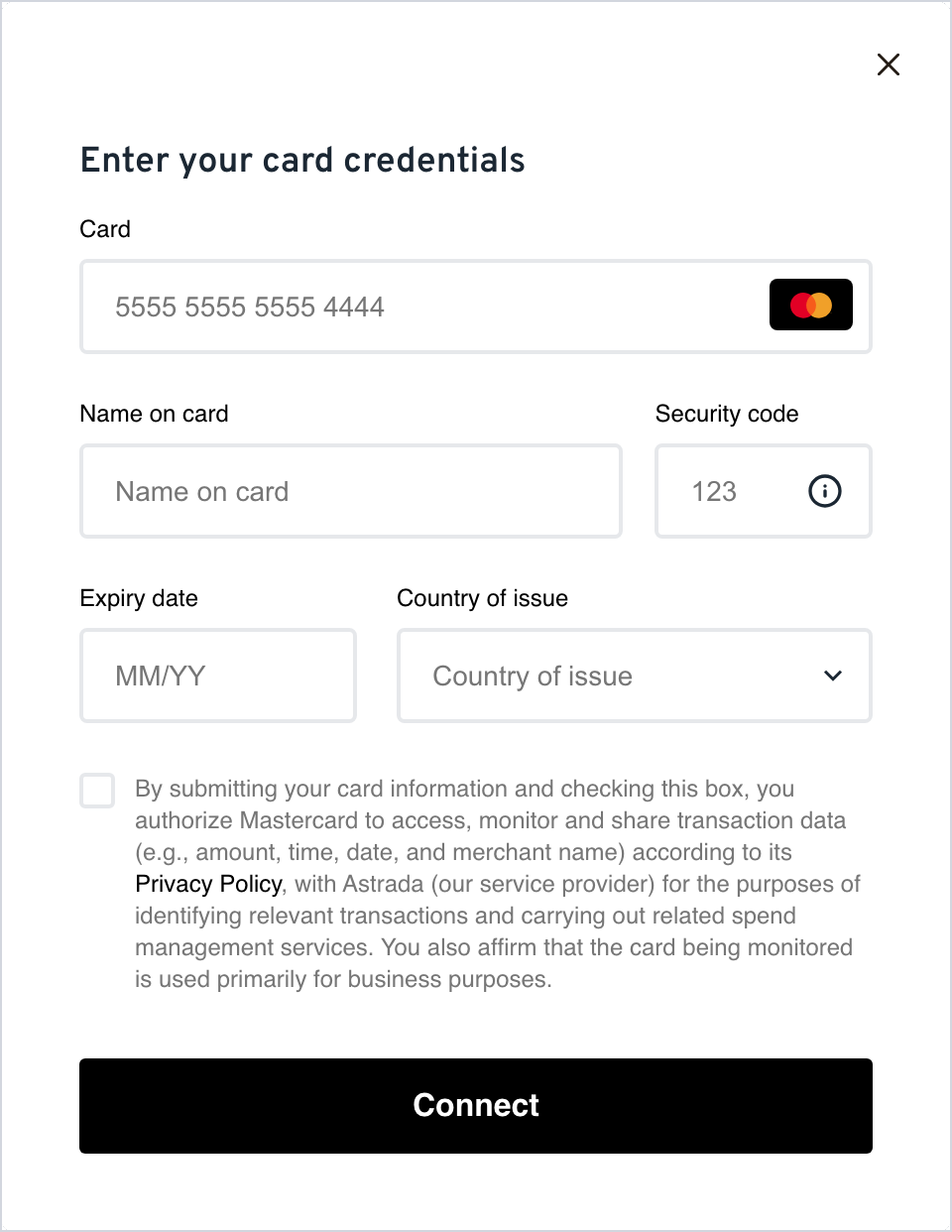
No terms: the network consent only.
Illustration; the wording above is authoritative.
Customize links within the Customer default consent language
If you want to rely on both consent languages, network-specific and customer, you can proceed with the default consent message and insert your company's Privacy Policy and Terms & Conditions, follow the example below:
CardEnrollmentSdk.openForm({
  companyName: "",
  subaccountId: "",
  getAccessToken: async () => "<access token>",
  terms: {
    privacyUrl: "YOUR_PRIVACY_URL_HERE",
    termsUrl: "YOUR_TERMS_URL_HERE",
  }
});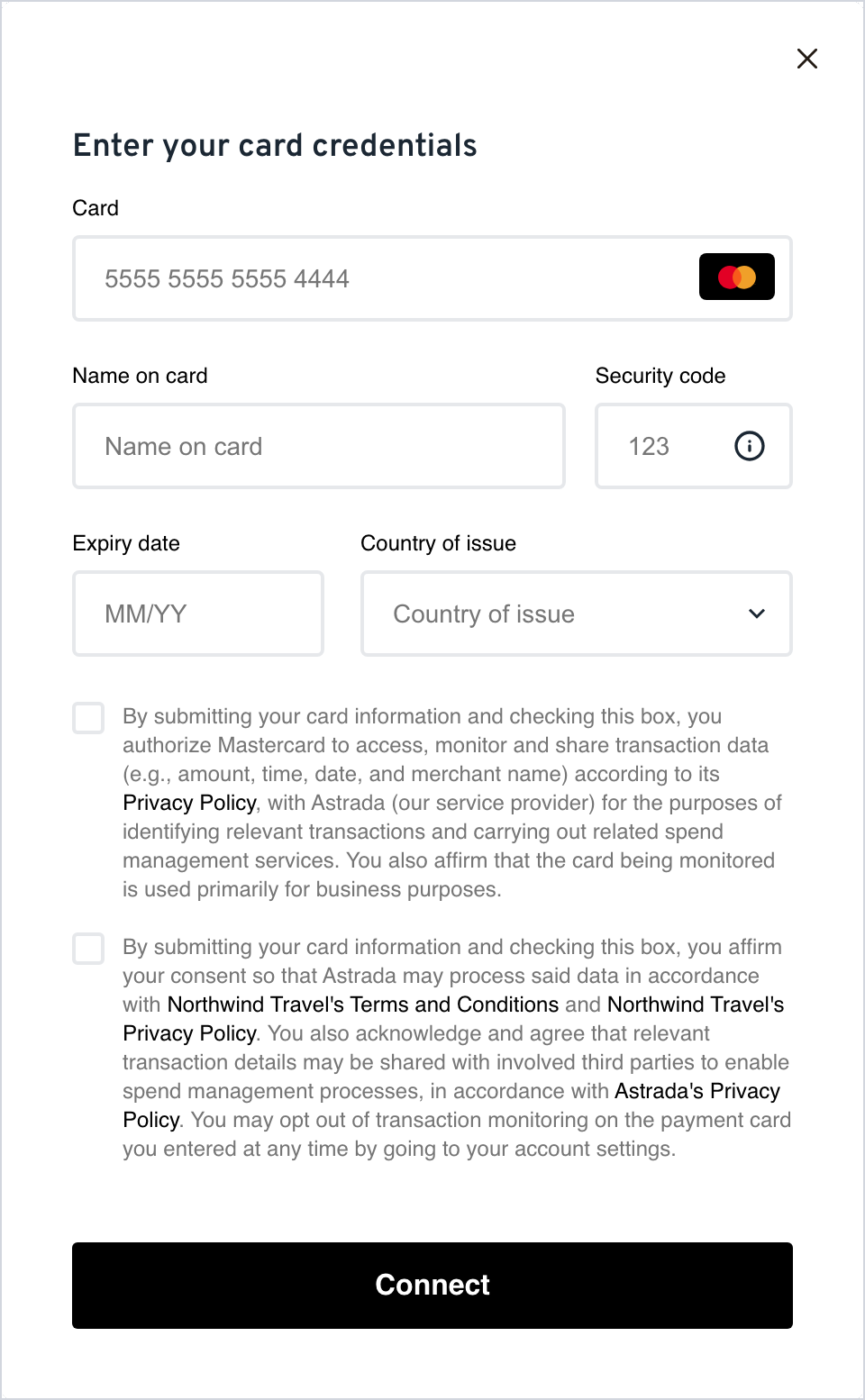
termsUrl and privacyUrl in Astrada's default text.
Illustration; the wording above is authoritative.
Customize customer consent language
To set up a fully customizable consent message, use the following code snippet::
CardEnrollmentSdk.openForm({
  companyName: "",
  subaccountId: "",
  getAccessToken: async () => "<access token>",
  terms: {
    text: "By checking this box, you are indicating that you agree to the [terms](https://yourcompany.com/terms) and [policy](https://yourcompany.com/policy).",
  }
});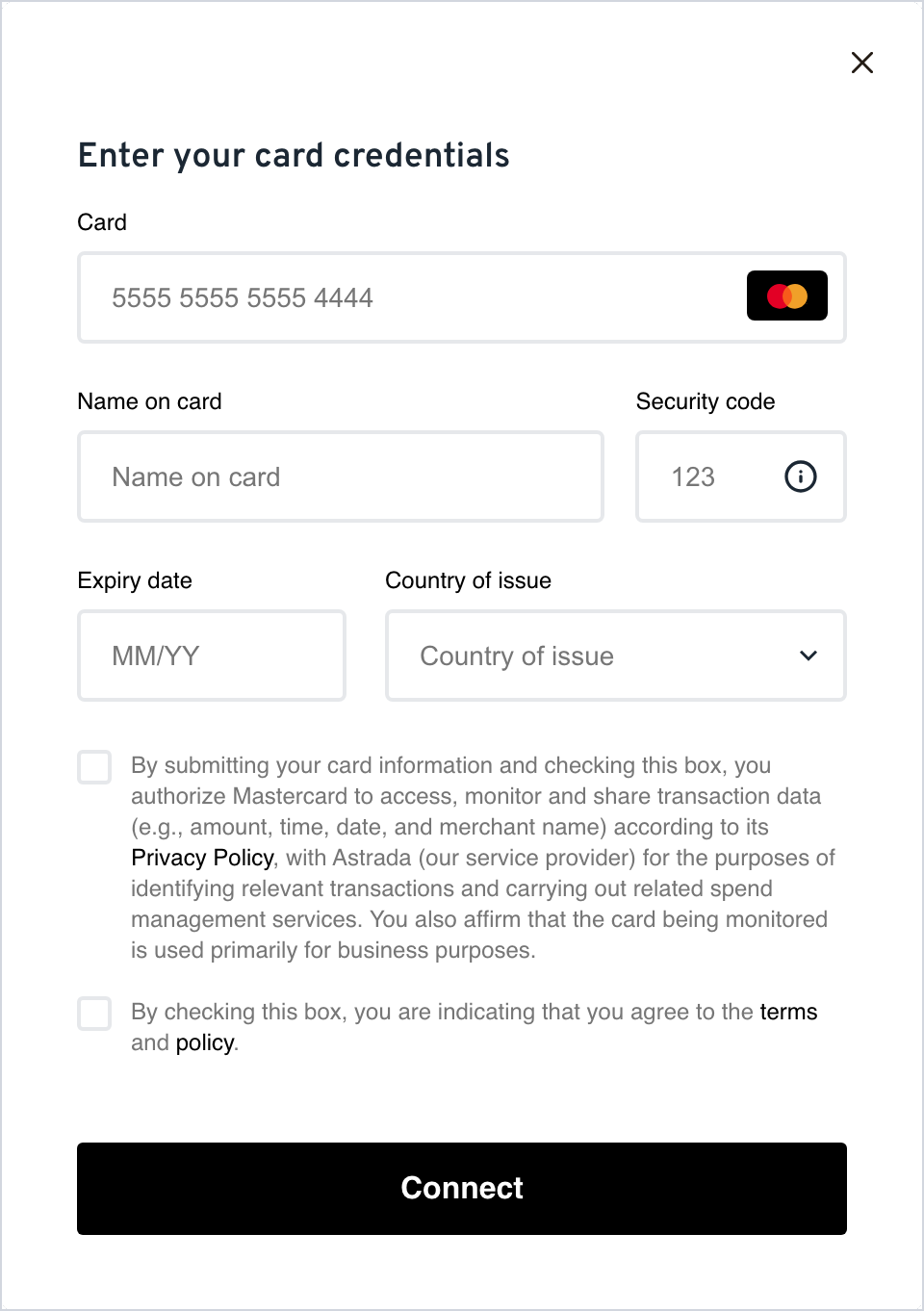
Your own terms.text (the example above).
The consent record
The SDK sends the consent record with the card subscription, so you write no code for it. On a consent error onError receives the code. What the screen shows and what the record names: The consent record.
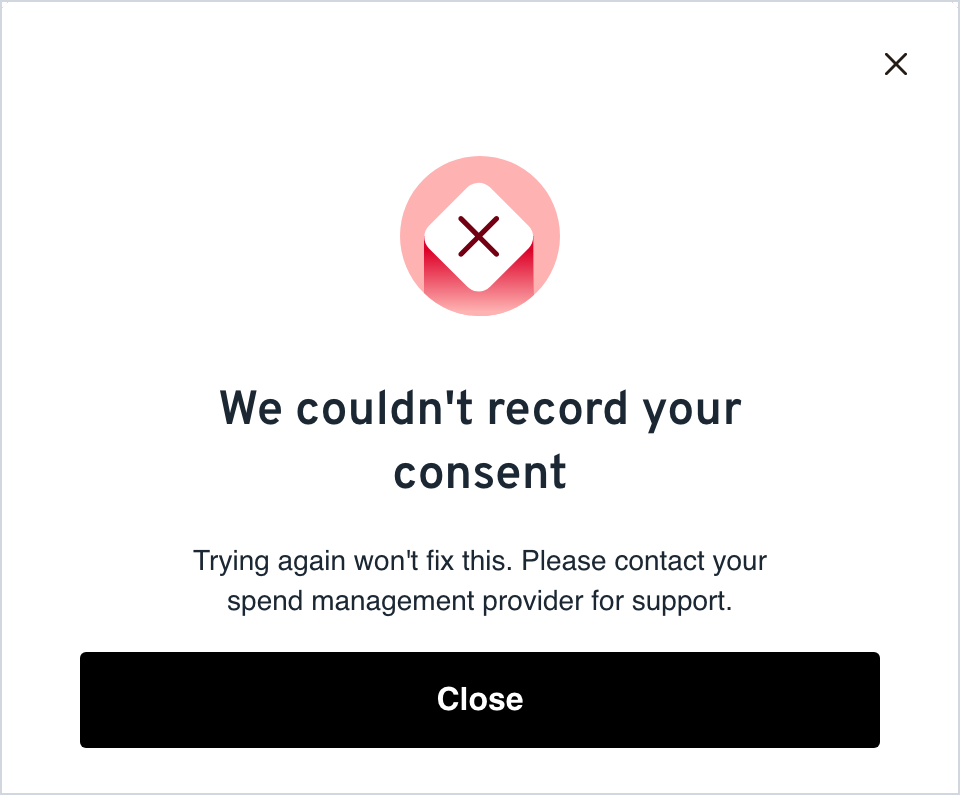
Card Enrollment SDK, any card_subscription.consent_* code.
Customize where the SDK should be rendered
To customize where the SDK is rendered on your page, follow the example below:
CardEnrollmentSdk.openForm({
  companyName: "",
  subaccountId: "",
  getAccessToken: async () => "<access token>",
  container: document.querySelector("#container-div")
});
The SDK will render at full-page scale if the HTML element is absent.
Progress Messages
Creating the card subscription and verifying the card can take some time. To make the wait easier to follow, the SDK shows a short progress checklist that advances through the enrollment: Securely connecting your card → Contacting your bank → Verifying with your bank → Finalizing your enrollment.
Rely on the default progress messages
If statusLabels is not passed to openForm, the built-in messages above are shown.
Customize the progress messages
Pass statusLabels to override any subset of the stage messages; omitted stages keep the built-in copy. Each key maps to a stage of the enrollment:
CardEnrollmentSdk.openForm({
  companyName: "",
  subaccountId: "",
  getAccessToken: async () => "<access token>",
  statusLabels: {
    creatingSubscription: "Securely connecting your card",
    startingVerification: "Contacting your bank",
    verifying: "Talking to your card issuer",
    finishing: "Finalizing your enrollment",
  },
});
Updated about 1 hour ago